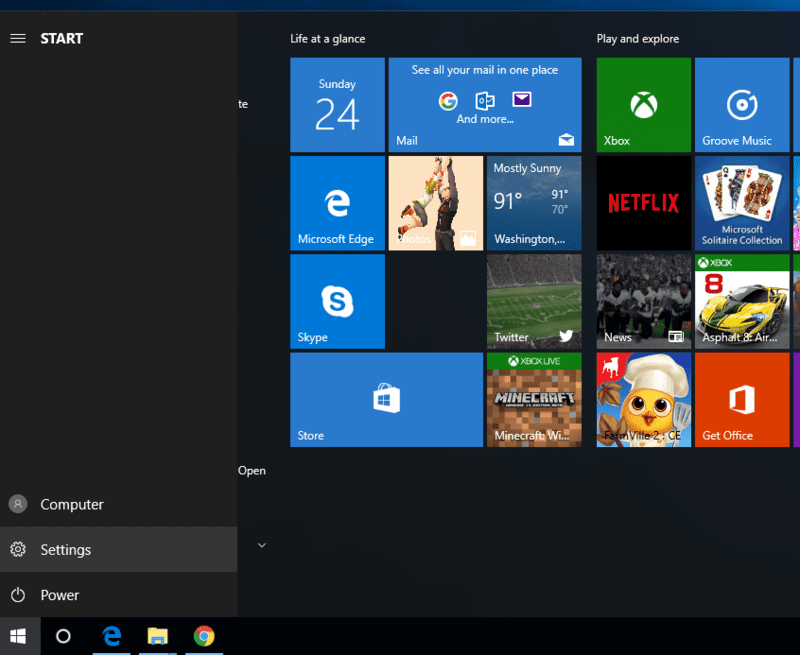
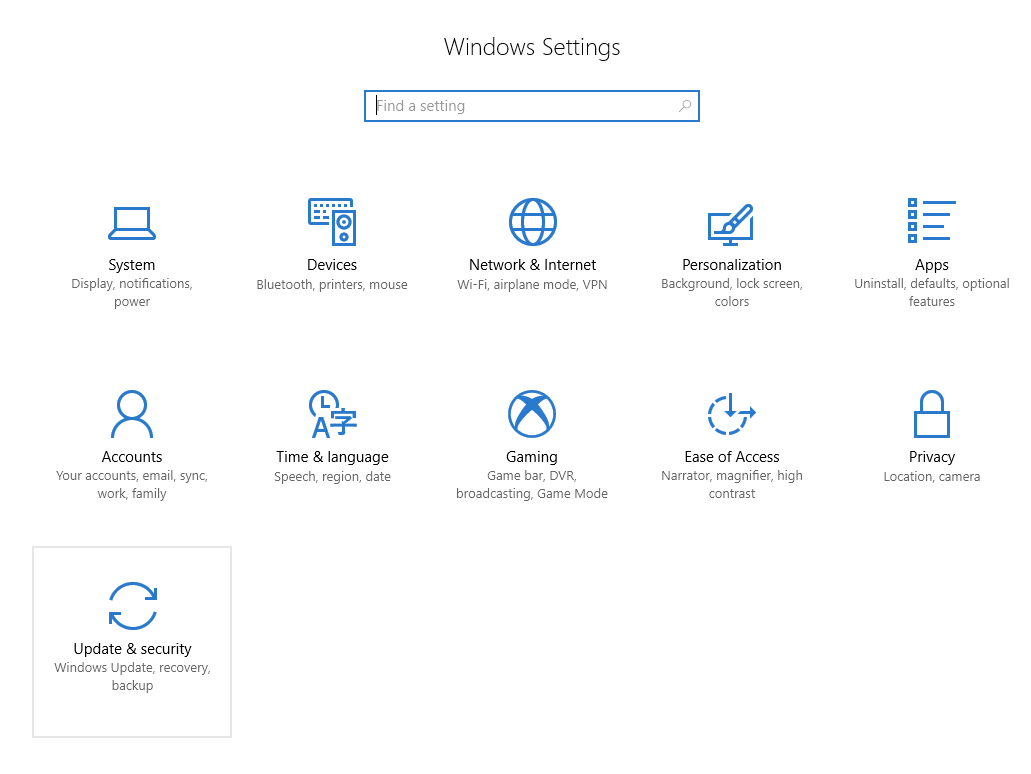
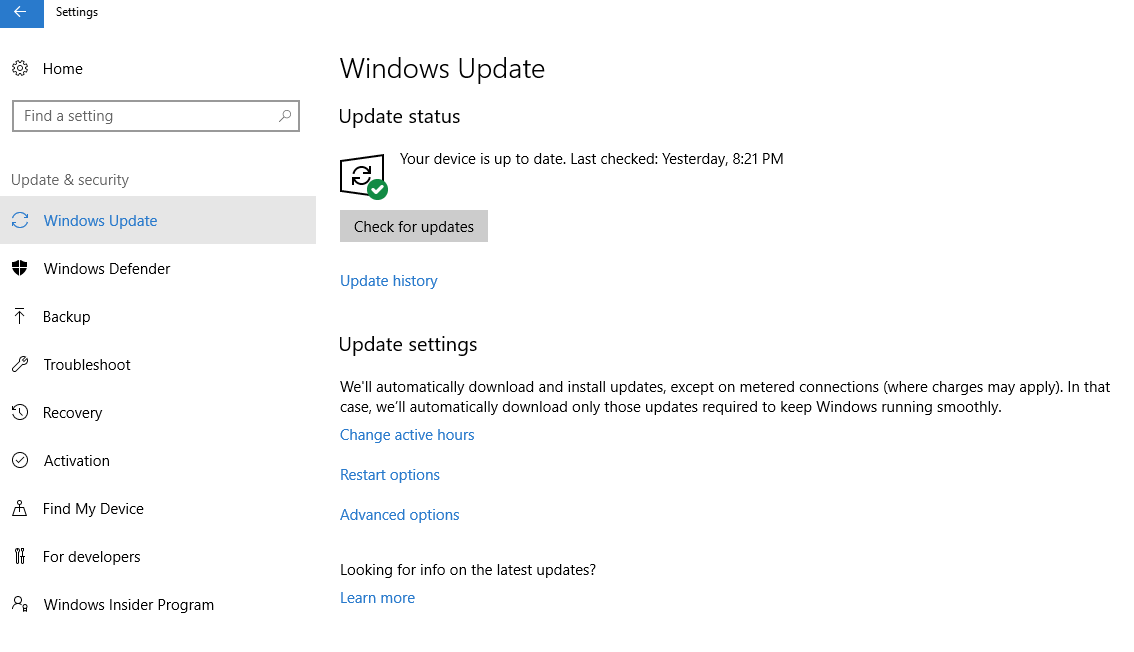
Updating your browser - Microsoft Edge Sarah Microsoft Edge Click the Start button and select Settings. Select Update & Security. Click Windows Update on the left, then the Check for Updates button. Your update will automatically download. Related articles My table won't load Clearing your cache - Microsoft Edge Updating your browser Replay Poker supported browsers Logging into your account Comments 0 comments Article is closed for comments.

Comments
0 comments
Article is closed for comments.